WALK WISE — Turning Everyday Steps Into Meaningful Rewards.
A gamified walking experience that encourages people to stay active by turning everyday physical activity into redeemable rewards.
 Home Screen.webp)
WALK WISE – Earn While You Walk
Making everyday physical activity more rewarding.
WALK WISE is a gamified walking and fitness mobile application designed to make everyday physical activity more rewarding. The application allows users to track their daily steps, monitor their walking progress, complete daily tasks, participate in challenges, and achieve activity goals to earn reward points.
What makes WALK WISE different is its rewards-based approach to fitness tracking. Instead of simply recording walking activity, the application introduces an opportunity for users to earn redeemable rewards through their everyday physical efforts. Users can accumulate reward points and explore redemption options such as mobile reloads and bank withdrawals.
1. Fitness Tracking
Daily step counts, distance monitoring, and personal progress.
2. Gamified Activities
Daily tasks, challenges, targets, and community leaderboards.
3. Rewards & Redemption
Redeemable points via mobile reloads and bank withdrawals.
Target Audience
WALK WISE is designed for people who regularly walk as part of their everyday routines and want to get more value from their physical activity:
- People who enjoy walking and maintaining an active lifestyle.
- Individuals who want to monitor their daily steps and activity.
- Users motivated by daily goals, challenges, and rewards.
- People interested in earning additional rewards through everyday physical activity.
1. Daily Activity Tracking
 Profile.webp)
2. Profile
 Points Wallet.webp)
3. Points & Rewards
Connecting everyday walking with tangible value.
The client wanted to introduce a walking application that could attract a large user community while remaining free to use. Traditional fitness tracking experiences inspired the initial concept, but the client wanted to create a more rewarding alternative without introducing a paid subscription requirement. The business also explored advertising as a potential revenue opportunity while keeping the core user experience accessible.
People who regularly walk may want to track their physical activity, but simply recording steps does not always provide enough motivation to maintain consistent engagement. Some competing services also introduce paid plans or feature limitations, creating barriers for users looking for accessible activity tracking.
"How might we create an accessible walking experience that encourages users to stay active while making their everyday efforts feel rewarding?"
Everyday Walking
Daily routine steps
Activity Tracking
Clear step visibility
Motivation
Goals & challenges
Redeemable Rewards
Reloads & withdrawals
Balancing business objectives with user needs.
Business Goals
- • Build a large and engaged walking community.
- • Introduce a free-to-use mobile application.
- • Differentiate the experience through rewards and gamification.
- • Explore advertising as a potential monetization opportunity.
- • Encourage long-term user engagement.
User Goals
- • Track daily walking activity and step counts.
- • Understand personal activity progress.
- • Complete daily tasks and challenges.
- • Reach achievable activity goals & earn reward points.
- • Redeem available rewards through mobile reloads or bank withdrawals.
Sole UI/UX Designer via Techseya.
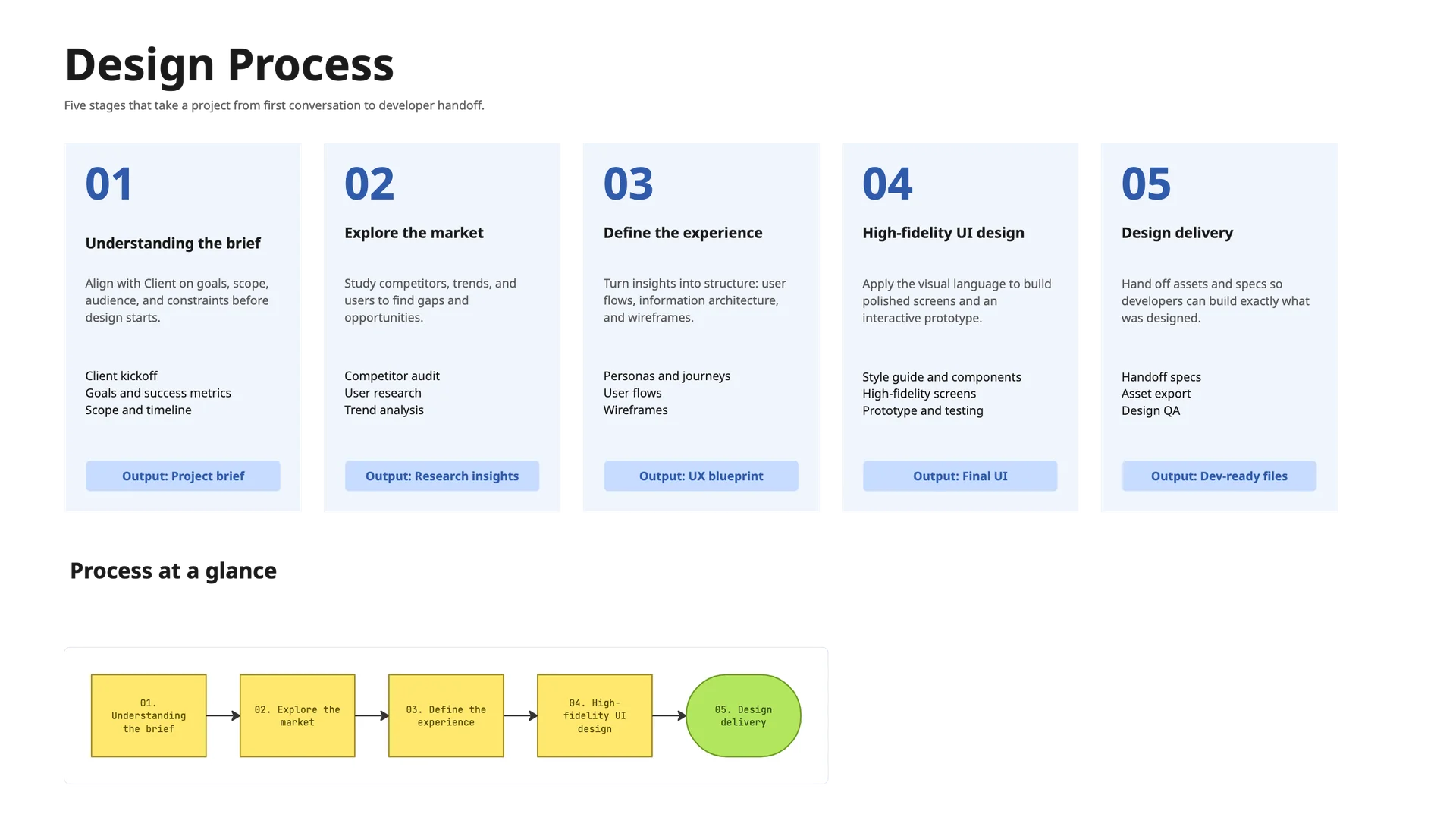
I worked as the sole UI/UX Designer on this project through Techseya. Having previously worked with the client, I had an established understanding of their expectations and business direction. This allowed me to move directly into high-fidelity interface design, handling the application's design work independently from initial requirements to final deliverables.
Key Responsibilities
Understanding the product & interface patterns.
The discovery phase started with understanding the client's concept, business objectives, and required application features—focusing on how walking activity, daily goals, challenges, and reward points could work together within one mobile application.
Competitor Interface Review
I reviewed an existing walking and fitness application to explore how similar products presented their features and organized their mobile interfaces:
Six connected functional areas.
The application's experience is structured around six core functional areas that guide the user from onboarding to reward redemption.
Onboarding & Account Access
Welcome screen, account creation, and mobile number verification.
Activity Experience
Daily step tracking, activity progress, and the home dashboard.
Goals & Engagement
Daily rewards, activity targets, tasks, and challenges.
Rewards Management
Points wallet, reward balance, transactions, and redemption options.
Community Experience
Referral portal, referred users, and leaderboard.
Personal Account
User profile, personal activity statistics, and account-related options.
Key User Journey — Getting Started
Key User Journey — Managing Rewards
Key User Journey — Referrals
*Note: These journeys are reconstructed from the designed screens and described product features rather than validated usability-test results.
Moving directly into high-fidelity design.
The project moved directly into high-fidelity interface design without a separate low-fidelity wireframing phase. Because of the existing client relationship and the client's confidence in my design approach, I worked directly from the agreed requirements and initial design direction in Figma.
Rather than treating each screen as an isolated design, I focused on creating a connected visual experience across onboarding, activity tracking, rewards, and profile-related features—prioritizing clear information presentation, visual hierarchy, feature organization, and consistent interface patterns.
Visual principles & retrospective specification.
01. Clear Visual Hierarchy
Important information such as activity progress, points, and primary actions are easy to identify.
02. Consistent Interface Patterns
Repeated elements maintain consistent styling and behavior throughout the application.
03. Accessible Presentation
Text, buttons, and key activity metrics remain readable within a compact mobile layout.
04. Engaging Experience
The visual presentation supports motivation and makes the application feel approachable.
Observed Color Palette (Edit Hex Codes Below)
Primary Brand
#HEX_HERE
Secondary
#HEX_HERE
Accent / Reward
#HEX_HERE
Background
#HEX_HERE
Primary Text
#HEX_HERE
Secondary Text
#HEX_HERE
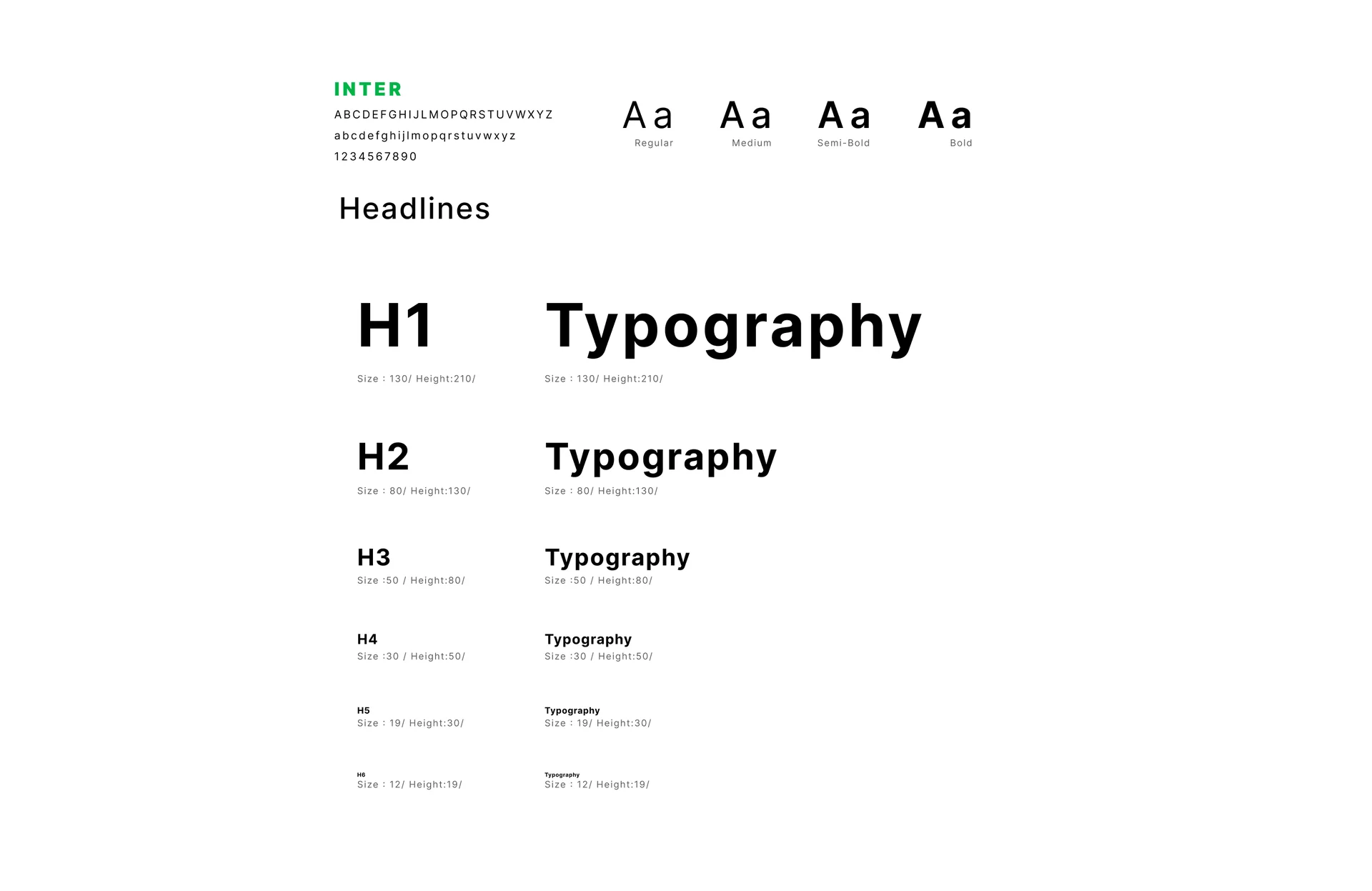
Typography & Hierarchy Visuals

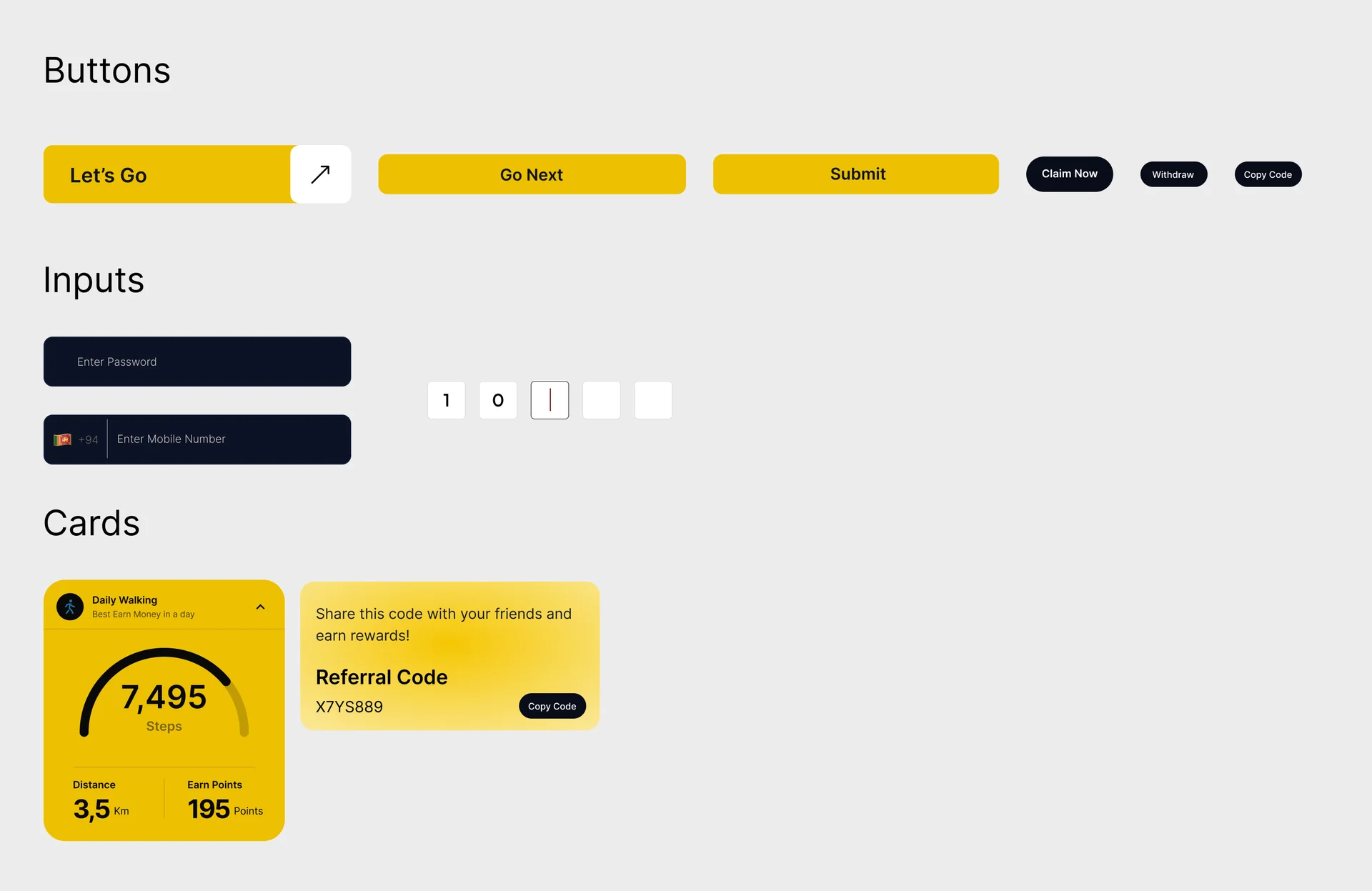
Observed buttons, cards, progress indicators, corner radii, and iconography across the WALK WISE interface.
Complete high-fidelity mobile experience.
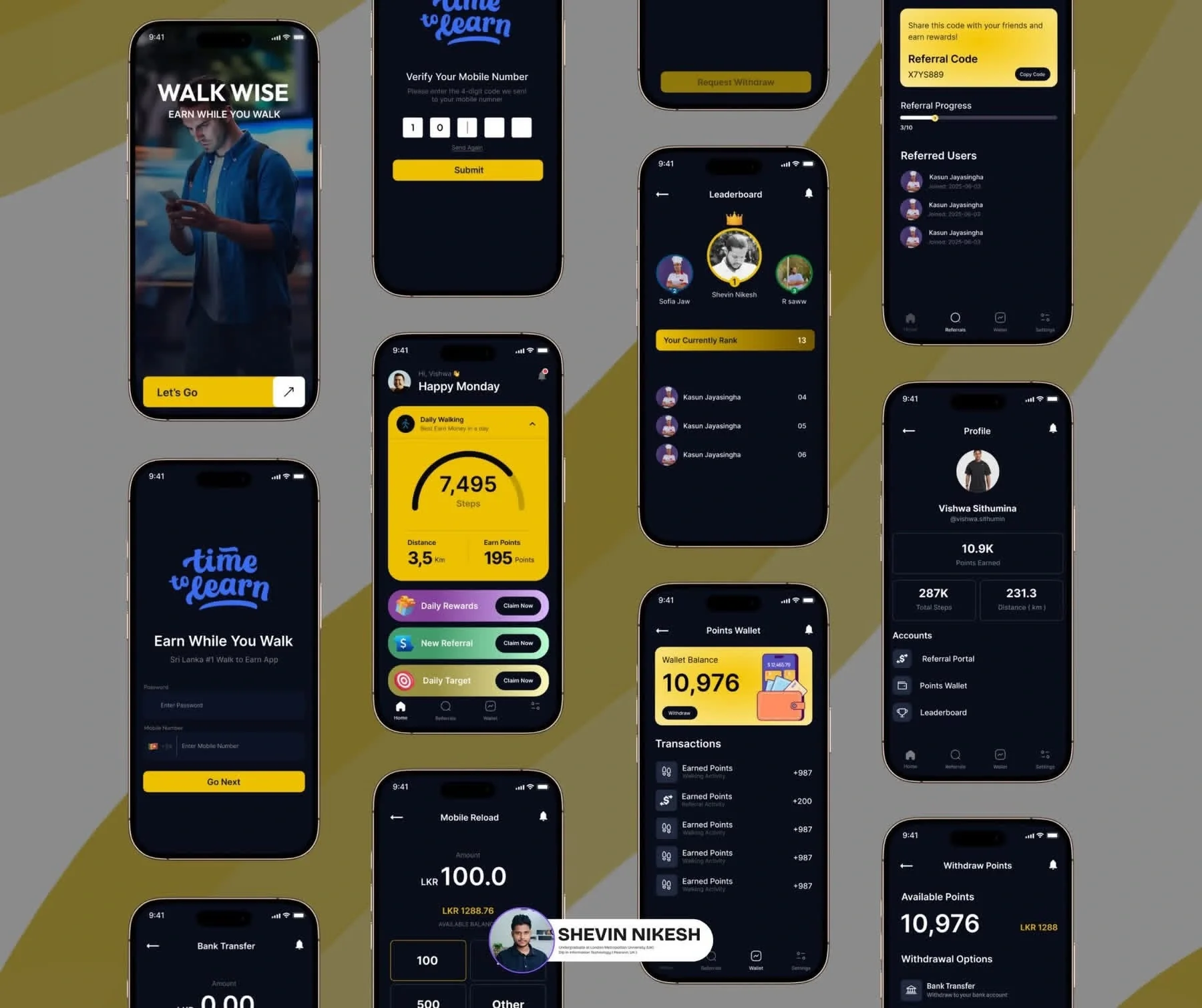
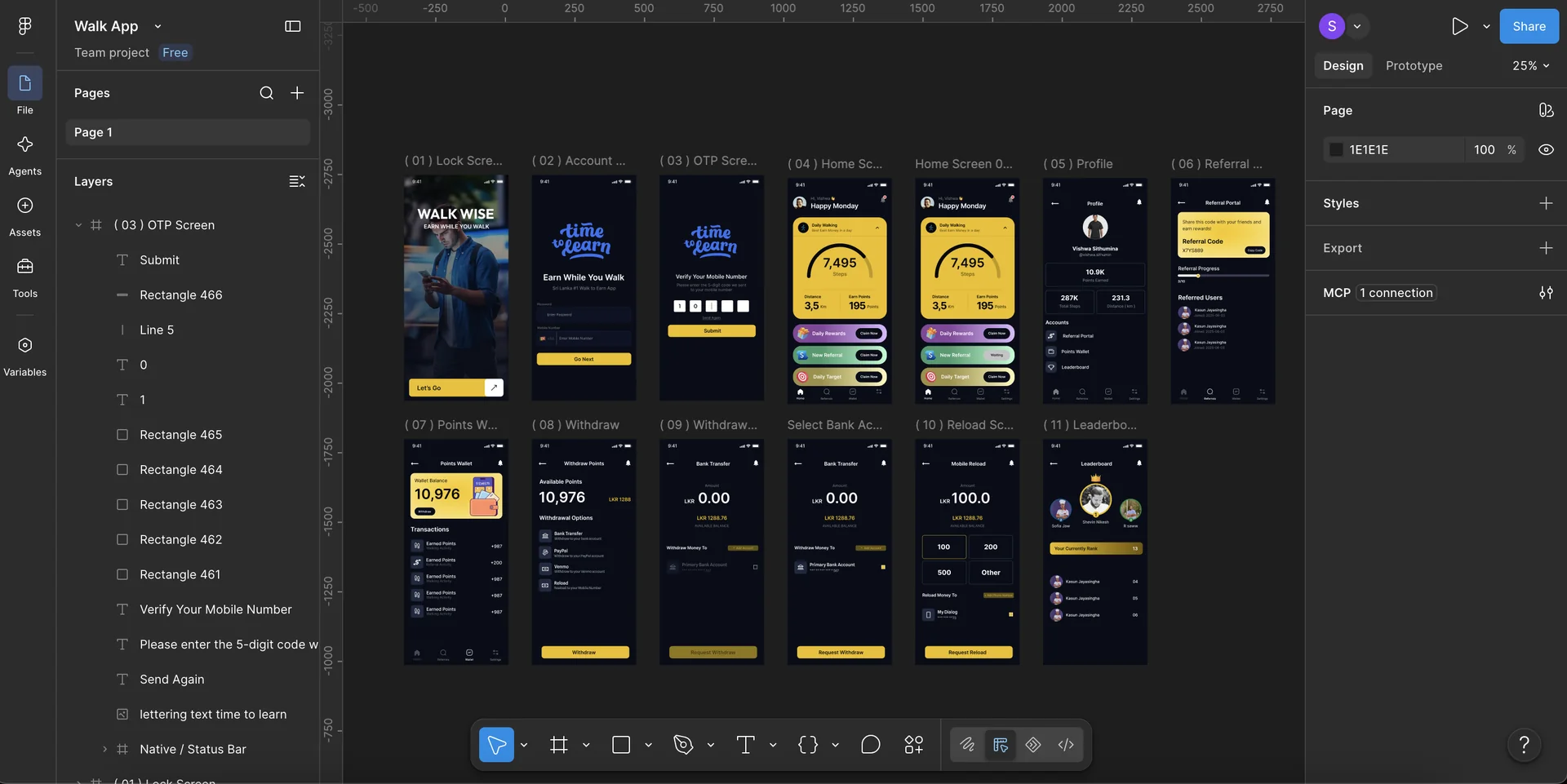
The final design brought together the application's main experiences in a cohesive collection of high-fidelity mobile screens.
01 – 03. Onboarding & Verification Flow
 Lock Screen.webp)
Welcome Experience
Introduces WALK WISE and communicates its central value proposition: Earn While You Walk.
 Account Create Screen.webp)
Account Creation
Provides an entry point for users to register using their mobile number and password.
 OTP Screen.webp)
Mobile Number Verification
Provides a clear OTP verification interface before users proceed into the application.
04 – 06. Core Dashboard, Profile & Referrals
Home Dashboard
Central activity space with personalized greeting and quick access to Daily Rewards, New Referral, and Daily Target.
Profile & Activity Summary
Displays Total Steps, Distance, Points Earned, and direct access to Referral Portal, Points Wallet, and Leaderboard.
 Referral Portal.webp)
Referral Portal
Allows users to share their referral code, view referral progress indicators, and check referred users.
07 – 09. Rewards Wallet, Mobile Reload & Leaderboard
Points Wallet
Dedicated space to view available points balance, access withdrawal options, and review transactions.
 Reload Screen.webp)
Mobile Reload Redemption
Presents a redemption interface with selectable reload amounts and destination phone number input.
 Leaderboard Screen.webp)
Community Leaderboard
Introduces a community-oriented experience by displaying user rankings and current user position.
Delivered in under 10 days with full client satisfaction.
The complete high-fidelity mobile application design was delivered to the client, translating the initial walk-to-earn concept into a structured mobile interface covering onboarding, activity tracking, rewards, referrals, and user profiles.
Project Outcomes
- Completed the requested mobile application UI/UX design independently.
- Delivered a cohesive collection of high-fidelity mobile screens in Figma.
- Translated the client's business concept into a structured interface experience.
- Delivered the design within the focused design period of under 10 days.
- Received positive feedback and full client satisfaction.
*Note: No quantified improvements in retention, engagement, revenue, or user growth are claimed because post-launch product analytics were not available for this design project.
Growing as a Product Designer.
What I Learned
- • Translating business requirements into interface experiences.
- • Organizing multiple features within a mobile application.
- • Designing activity tracking and reward-related interfaces.
- • Establishing visual hierarchy across different screens.
- • Managing a complete UI design assignment independently.
- • Communicating design decisions and delivering work to a client.
What I Would Improve Next Time
- • Earlier information architecture and user-flow documentation.
- • Low-fidelity exploration where appropriate.
- • Greater use of Figma Auto Layout & reusable component variants.
- • More structured spacing and typography tokens.
- • Responsive layout considerations from the beginning.
- • Usability testing and design validation.
"WALK WISE strengthened my understanding that designing a mobile application is not simply about creating attractive screens. It is about understanding the product's purpose, organizing its features, and presenting information in a way that makes sense to the people using it."
Explore the Live Figma Canvas
Zoom in, pan around, and inspect the actual WALK WISE screens directly inside Figma.
"Great experiences can come from everyday actions. WALK WISE explores how a simple daily habit like walking can become a more engaging and rewarding digital experience."
Designed by Shevin Bandaranayaka · UI/UX Designer · Organization: Techseya · Tool: Figma