LAPEL — Bringing Every Stage of Garment Production Into One Connected System.
A centralized ERP interface designed to help a men’s wedding suit manufacturer manage orders, inventory, fabrics, suppliers, and factory operations through a structured, section-based workflow.
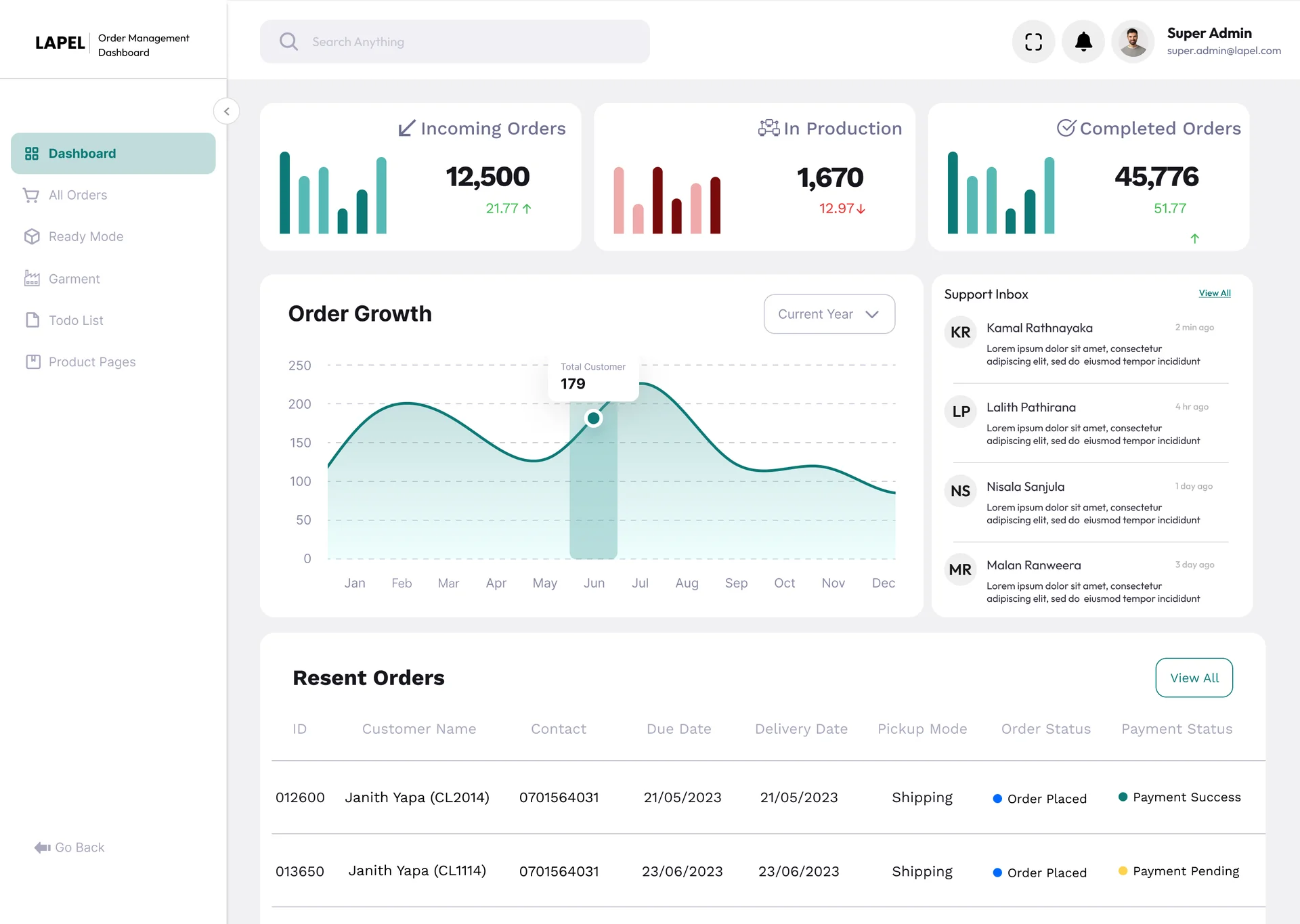
Centralized enterprise interface designed for a customized men's wedding suit manufacturing workflow.
Inspect Figma Design FileUnderstanding the Business Behind the Interface
LAPEL is an ERP system designed for a garment manufacturing business specializing in men’s wedding suits. The business handles multiple stages of production, from customer orders and fabric management to individual manufacturing operations carried out by different factory sections.
Before this project, the client wanted a more organized way to manage the information and operations involved in running the business. The proposed ERP experience brings these activities into a centralized system, helping the business manage orders, products, inventory, suppliers, and factory workflows through dedicated sections.
The key design consideration was to make a complex manufacturing operation easier to oversee and manage from one place.
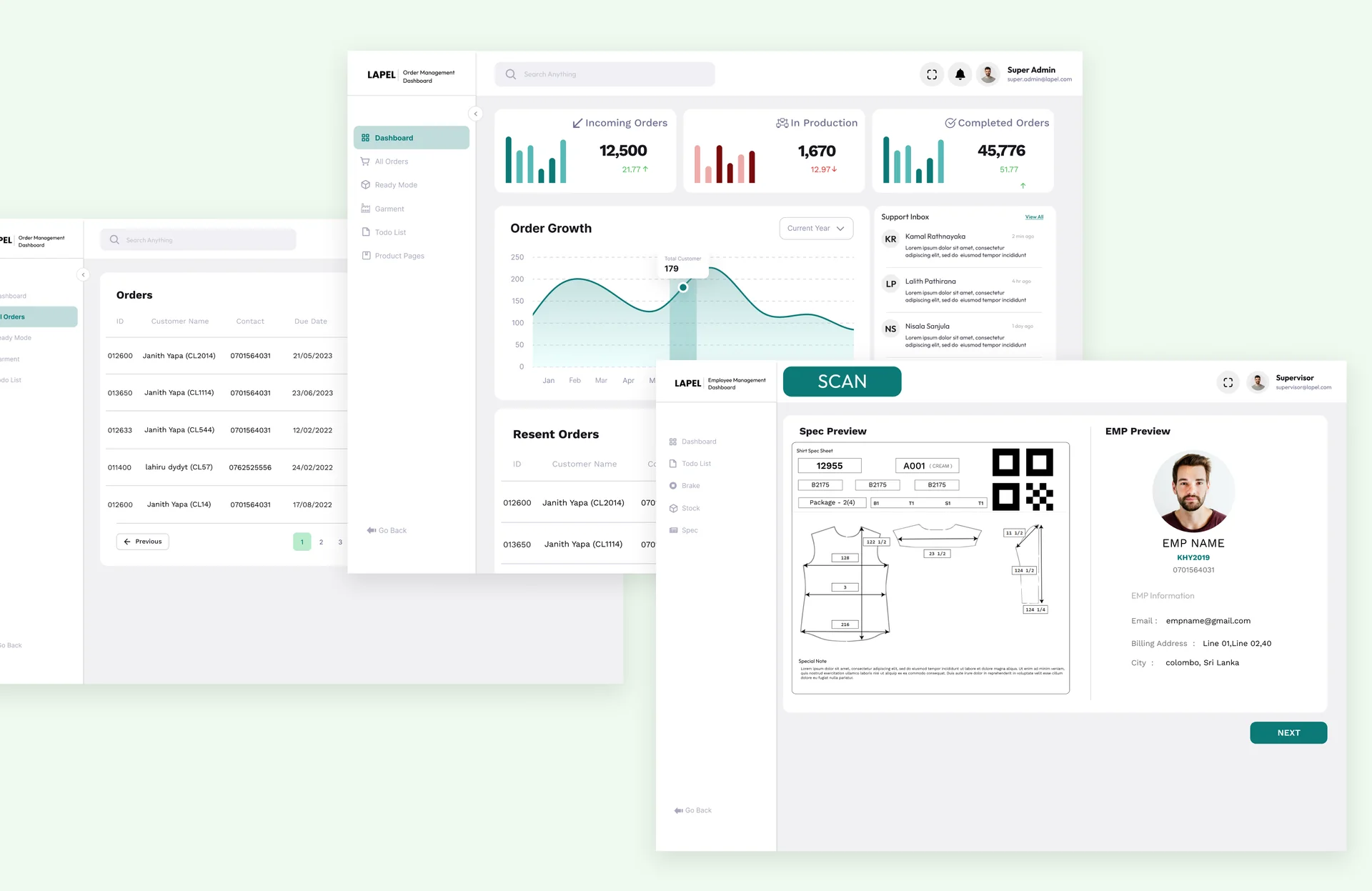
Managing a Multi-Stage Manufacturing Operation
Garment manufacturing involves multiple people, departments, materials, and production activities. For a business producing customized men’s wedding suits, a single customer order can involve different garment components and several manufacturing stages.
For example, a shirt may require separate work on its collar, sleeves, buttons, and other components. Different production sections need the relevant information to complete their responsibilities. When information and tasks are managed across disconnected processes, it can become difficult to maintain visibility over the overall production workflow.
Key Problems Identified by the Client
Fragmented Operations
Different factory sections needed a more organized way to manage their respective responsibilities.
Order Management Complexity
The business needed a centralized view of customer orders, recent orders, and their production status.
Inventory Visibility
Managing fabric availability and stock information was an important part of the operation.
Supplier Information
The business needed to manage supplier-related information and fabric procurement activities.
Production Coordination
Employees working in different sections needed a clearer way to understand and manage their assigned work.
Operational Delays & Waste
The client wanted to reduce avoidable delays, improve coordination, and minimize unnecessary operational waste.
1. Customer Suit / Shirt Order
Order enters with specific client measurements, fabric IDs, and custom specifications.
2. Component Breakdown & Stock
Requires fabric verification, supplier stock, and separate work across collar, sleeves, and buttons.
3. Synchronized Factory Floor
Each section receives structured tasks, scan-based step instructions, and status updates.
Supporting Day-to-Day Manufacturing Operations
The main objective was to design a centralized ERP interface that could support the client’s day-to-day manufacturing operations.
Centralize Order & Production Info
Bring scattered customer orders and production details into one place.
Organize by Department / Section
Structure factory activities clearly around specialized garment sections.
Improve Order Status Visibility
Make it easy to track order progress across every manufacturing stage.
Simplify Fabric & Inventory
Make fabric availability, stock levels, and inventory records easier to manage.
Organize Supplier & Material Data
Keep supplier records and procurement information structured and accessible.
Streamline Employee Tasks
Help factory employees access relevant tasks and step-by-step production instructions.
Make the business’s complex garment manufacturing operations easier to manage through one structured digital system.
Designing the ERP Experience Independently
I worked as the UI/UX designer responsible for translating the client’s business requirements into the LAPEL ERP interface. This was my first time working on a full ERP system—I had to learn the basic concepts of enterprise resource planning and understand how different manufacturing operations could be organized within a digital system.
The client provided the core business requirements and operational details, which helped me understand the existing workflow without requiring a lengthy independent discovery phase.
My Responsibilities
From Customer Orders to Factory Operations
One of the most important parts of the project was understanding how a customer order moves through a garment manufacturing business. The client explained how orders enter the business and how different garment components—such as a shirt's collar, sleeves, buttons, and finishing requirements—are handled by separate production sections.
Order Management
Central area for viewing and managing customer orders, recent orders, invoices, spec sheets, and order status.
Product Management
Dedicated area for managing garment product records, specifications, and product-related information.
Fabric & Inventory Management
Section for viewing fabric IDs, material availability, stock levels, and inventory-related details.
Supplier Management
Area for managing supplier records and related fabric or material purchasing activities.
Factory Operations
Dedicated factory areas for employees, order scanning, step execution, and factory stock information.
Task Management (Todo List)
Structured task interface for organizing factory work across weekly views, monthly views, and single-product tables.
Starting With High-Fidelity Interface Design
Because the client provided detailed business requirements and there was no strict deadline imposed on the design delivery, I began working directly on high-fidelity interface design rather than creating a separate low-fidelity wireframe stage.
At the time, ERP design was a new area for me. I first spent time understanding what an ERP system does, how enterprise dashboards are generally structured, and how the client’s manufacturing workflow could be represented through the interface—then translated that information into individual screens and functional sections in Figma.
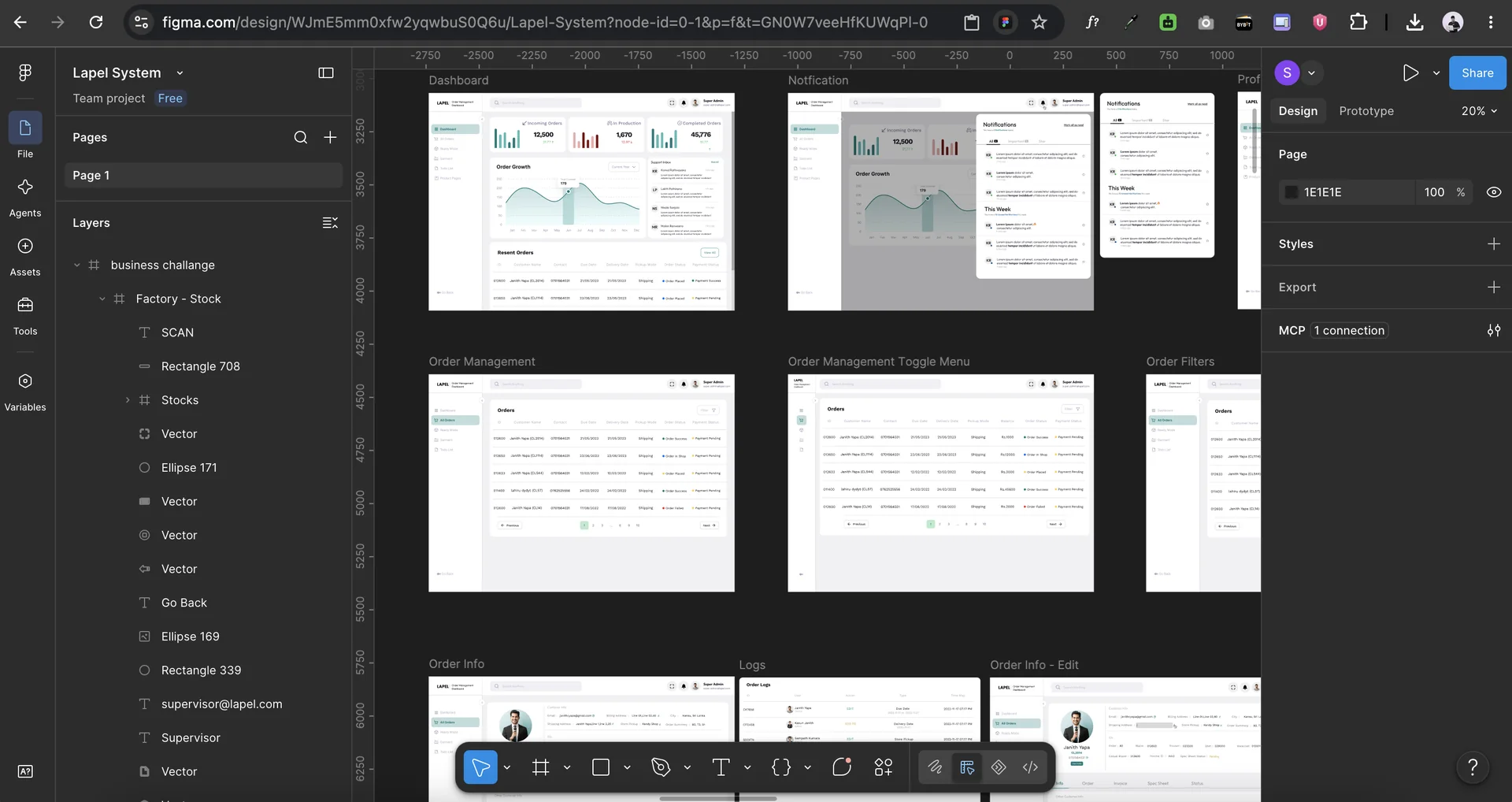
A Walkthrough of the Core Enterprise Screens
Click on any dashboard or table interface below to inspect it in full resolution.
Order Management Dashboard
Acts as the main entry point into the ERP experience, providing access to the major areas of the system and helping users navigate between order management and factory-related operations.
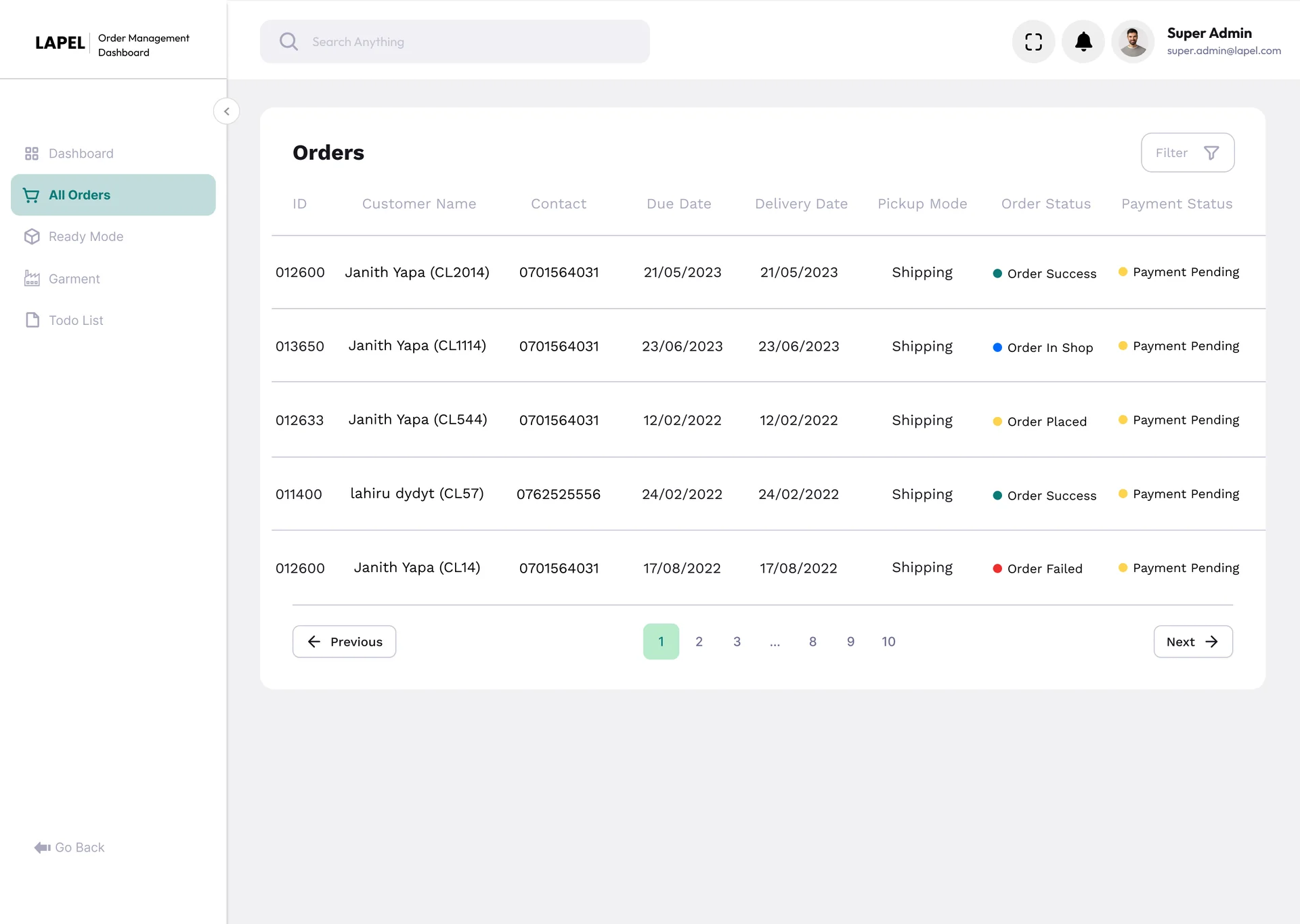
All Orders Interface
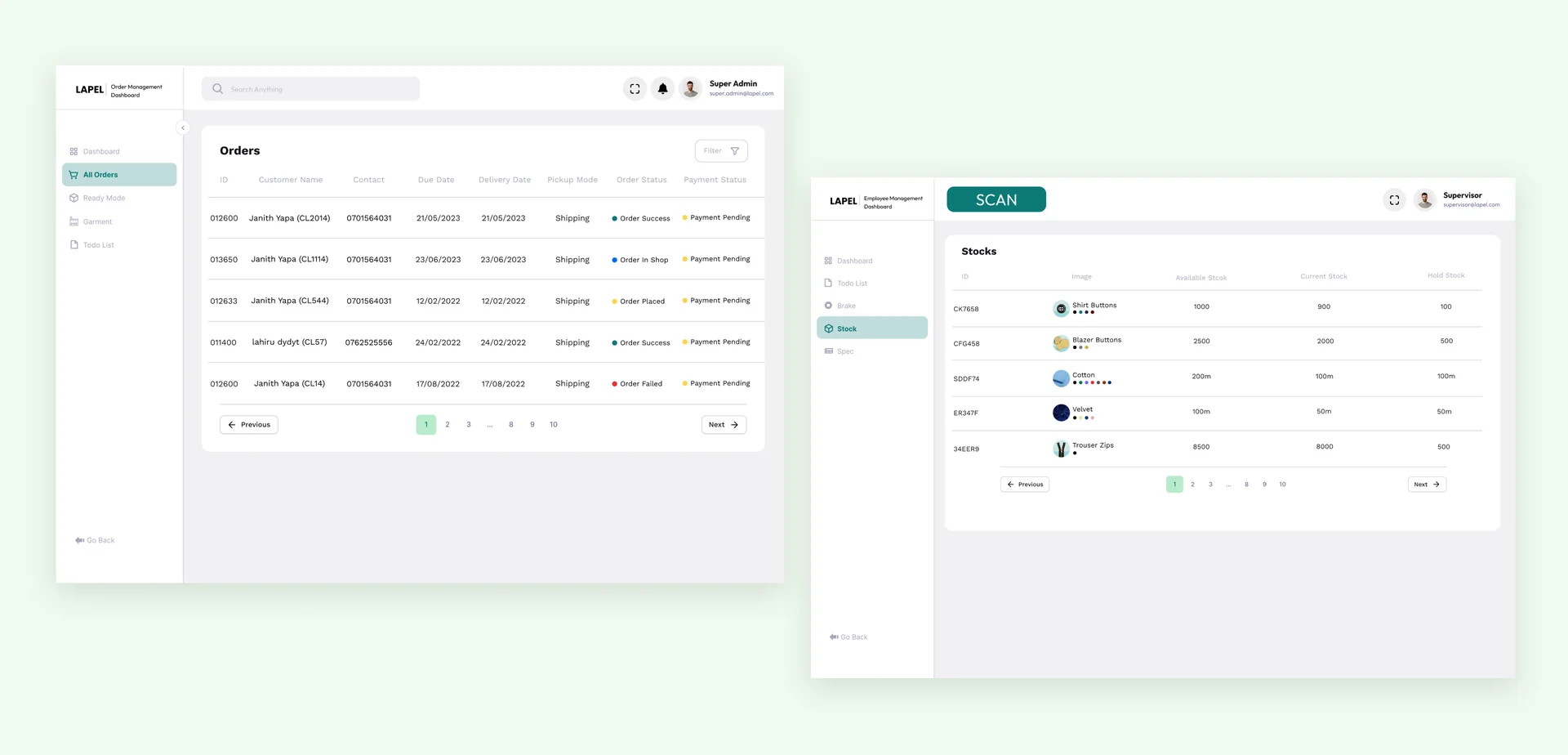
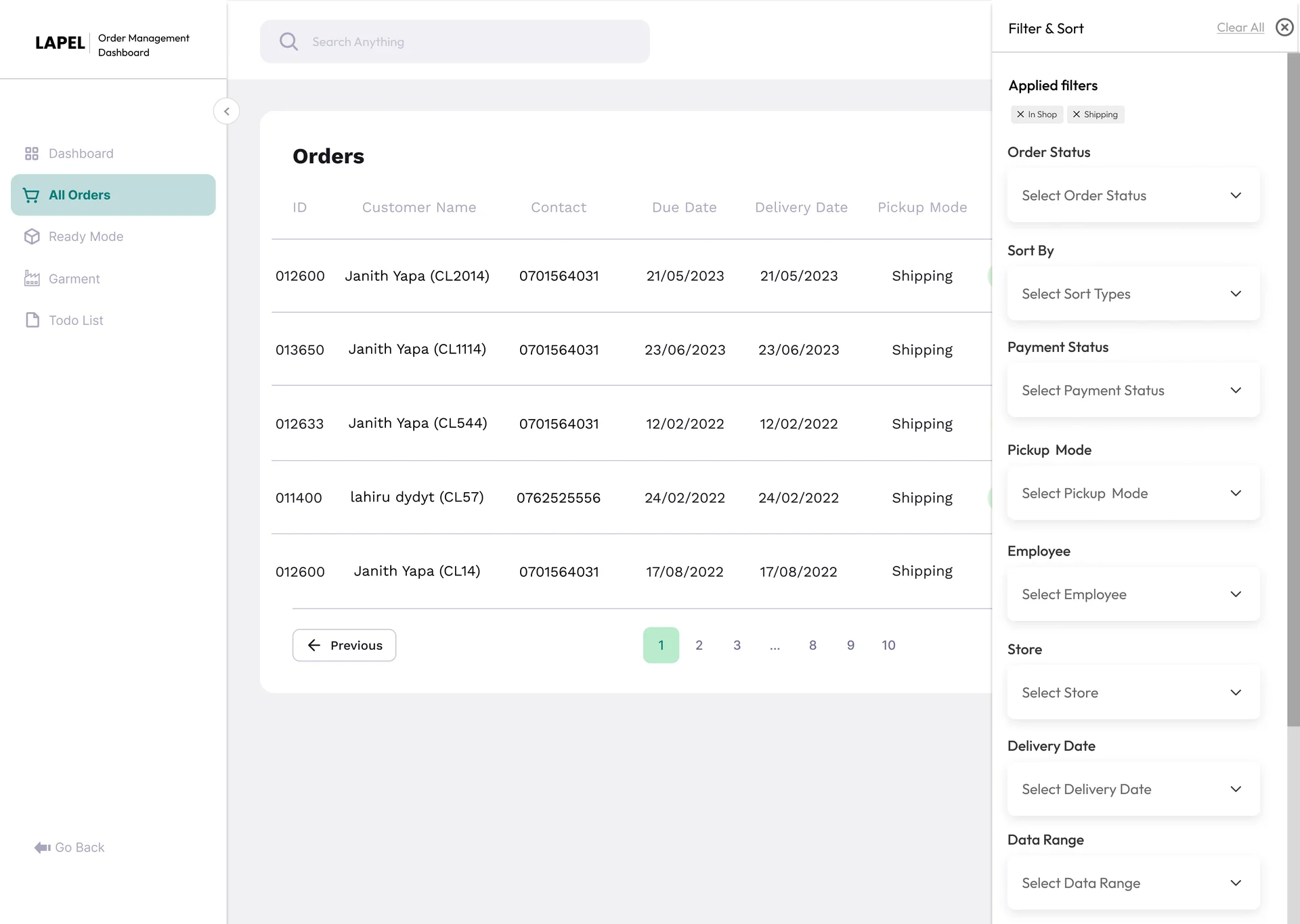
Provides a centralized table view of customer orders—including Product ID, Order ID, Client ID, Fabric ID, colour, and order status—alongside search and filtering controls to locate specific records quickly.
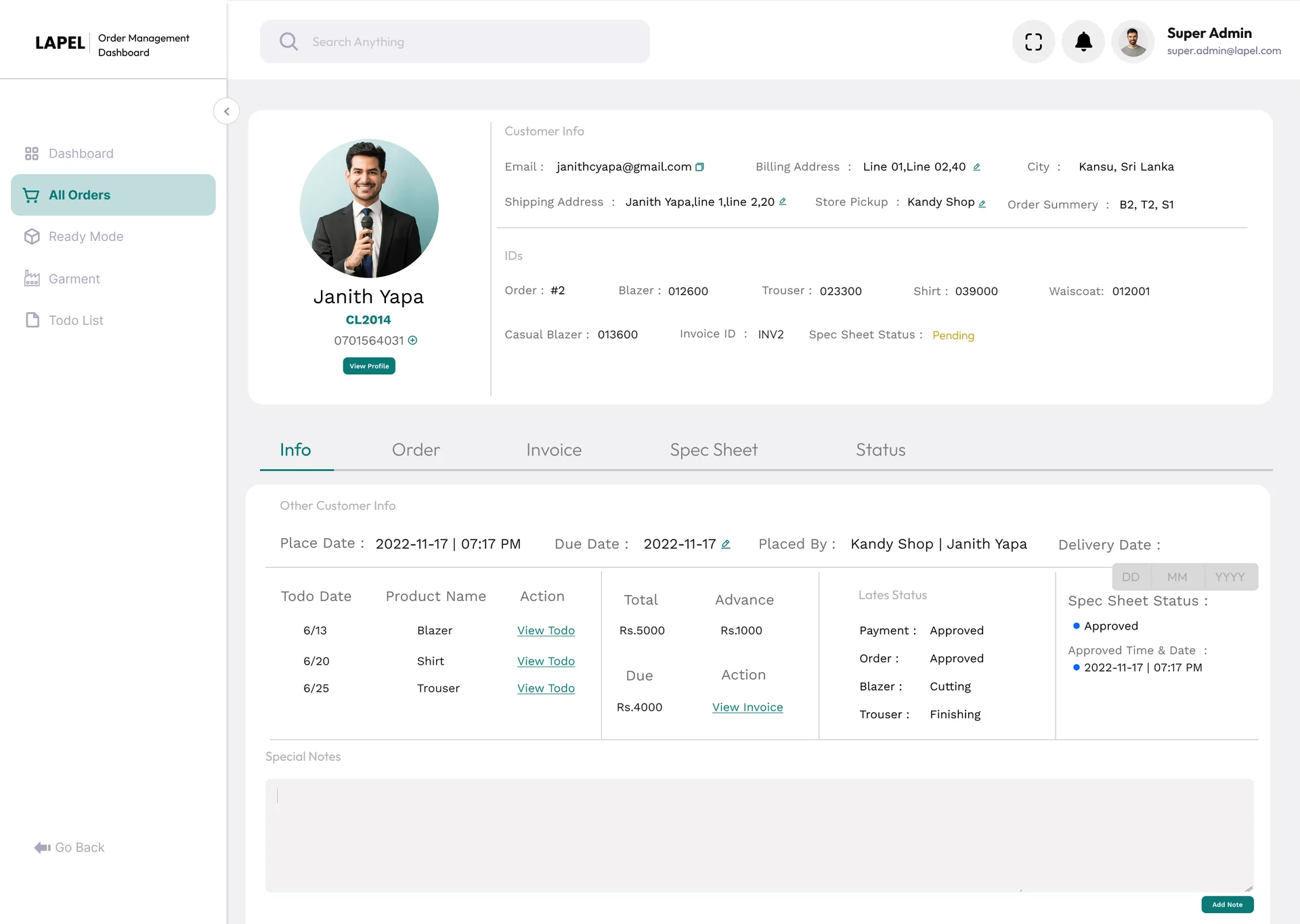
Order Details, Invoice & Specification Sheets
Includes dedicated views and states for order information, order summaries, invoice generation, and garment specification sheets—presenting individual order documentation in an organized structure.
Product Management
The Product Pages area provides a dedicated place for organizing garment and product records within the wider ERP structure.
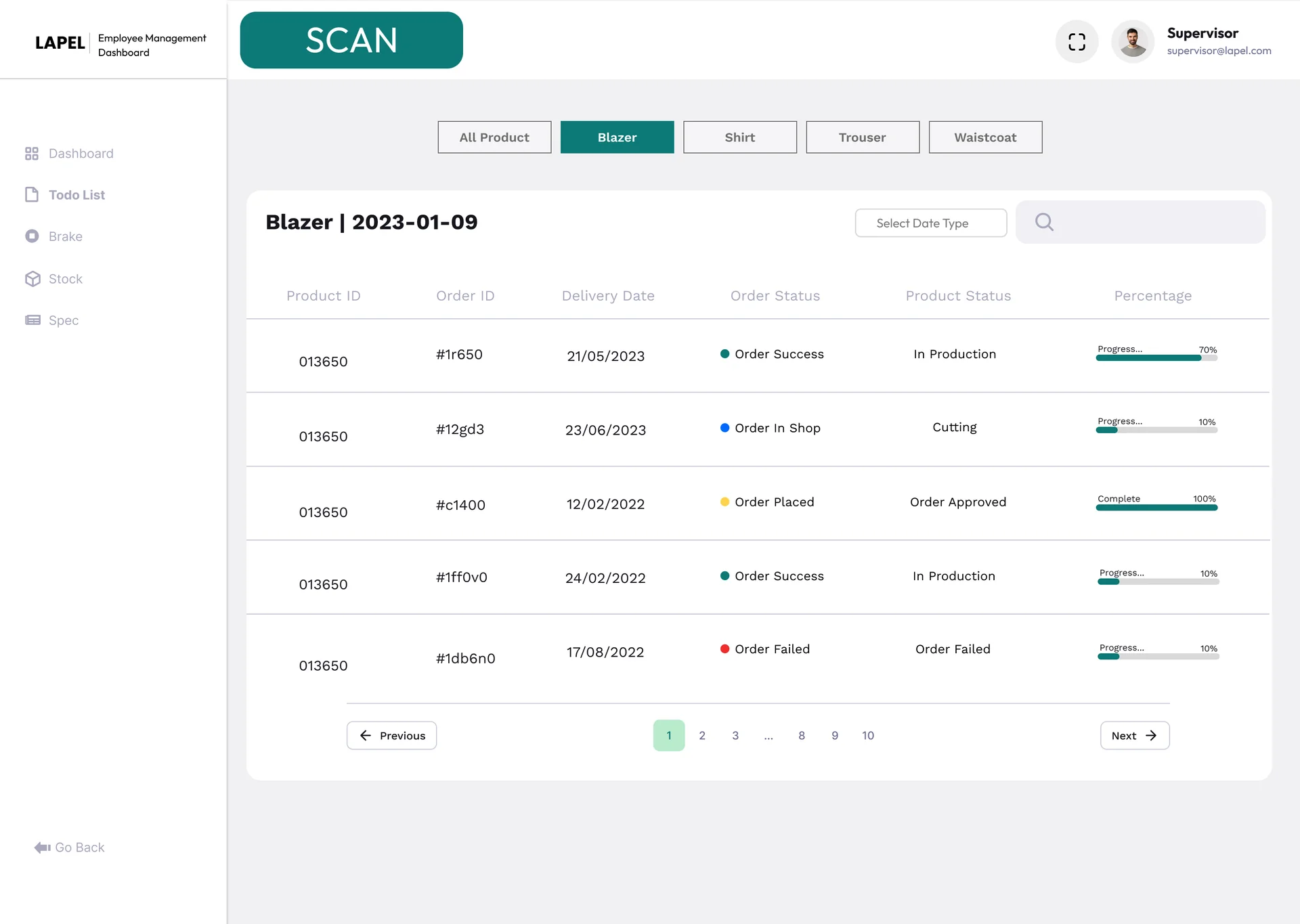
Factory Operations
Explores how production-related activities are managed across dedicated areas for factory tasks, stock, and employee assignments.
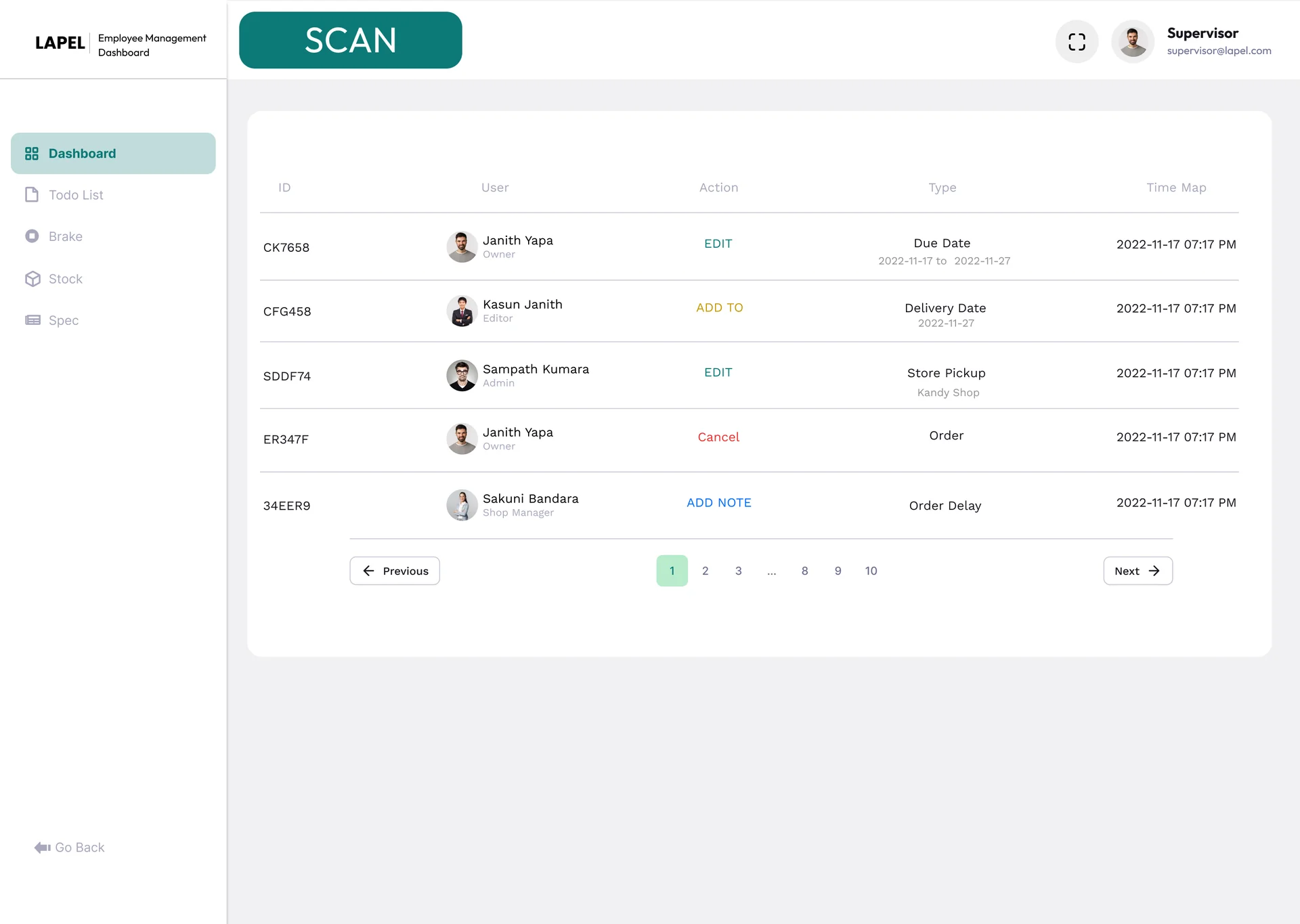
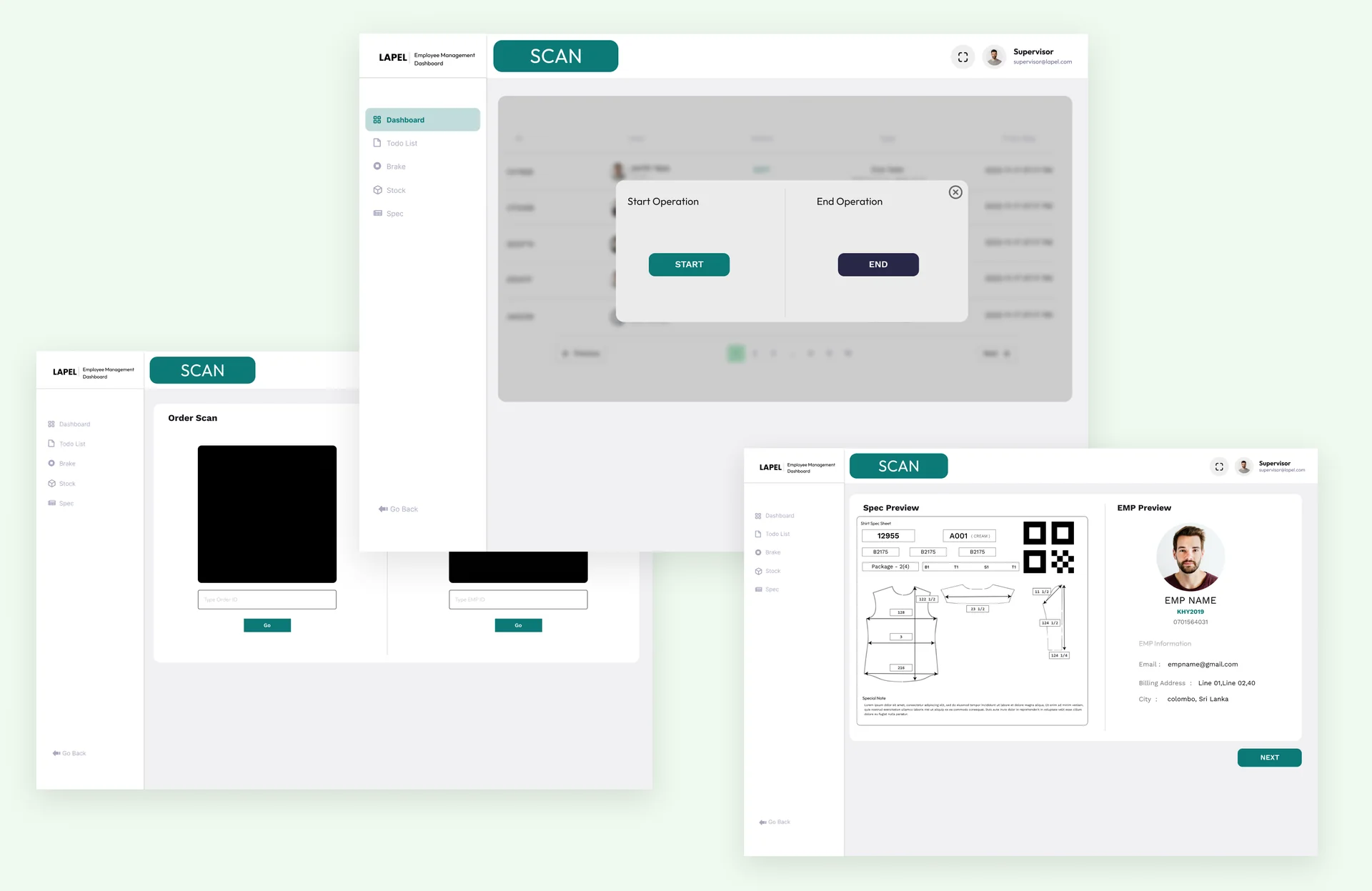
Factory Scanning & Employee Workflow
Connects the ERP’s digital information with the day-to-day work carried out on the factory floor—guiding employees through scanning an order, reviewing a production step, checking special notes, and starting or ending an operation.
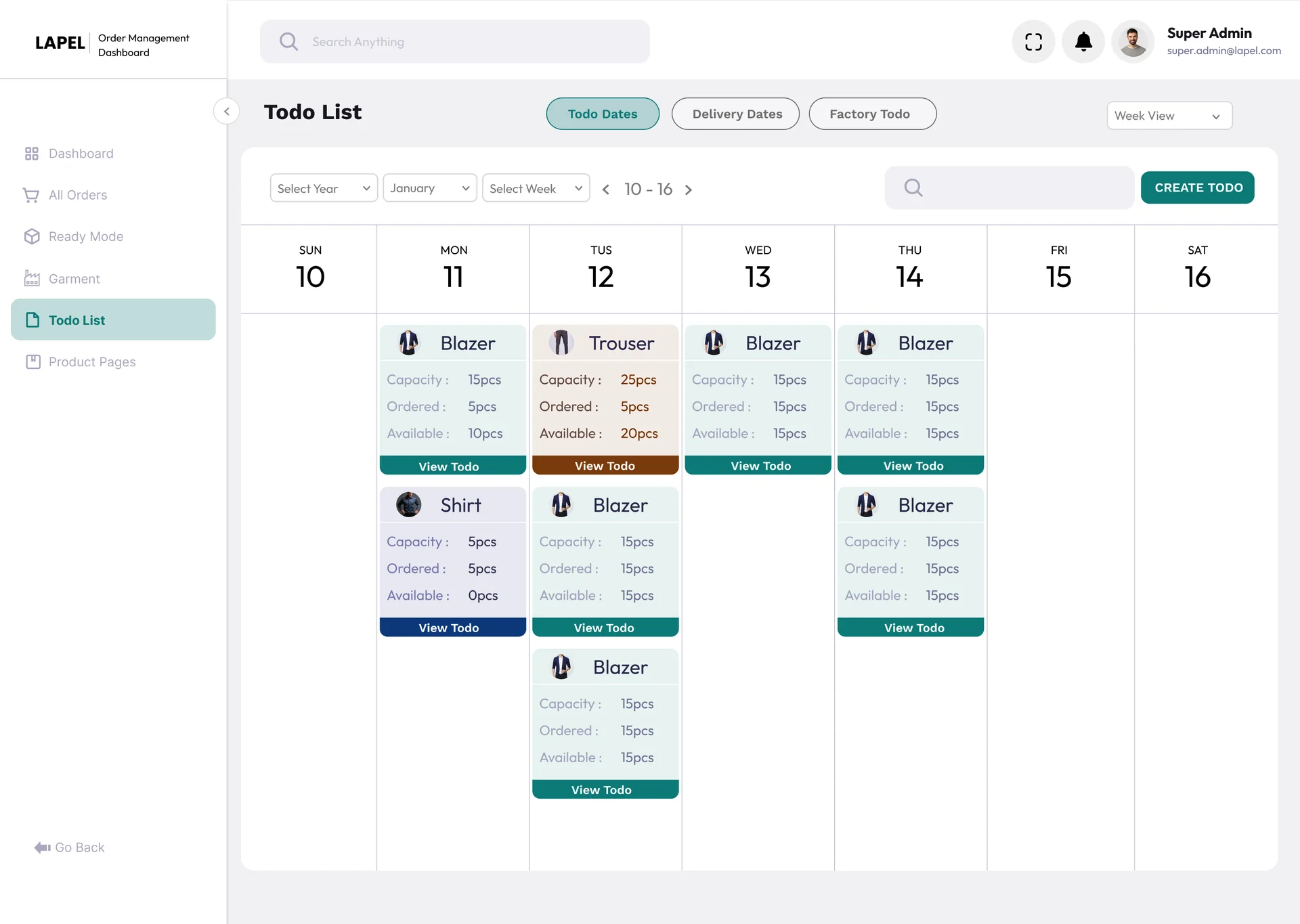
Todo List & Task Management
Organizes factory work through weekly views, monthly views, and a single-product task table—providing multiple ways to review production schedules.
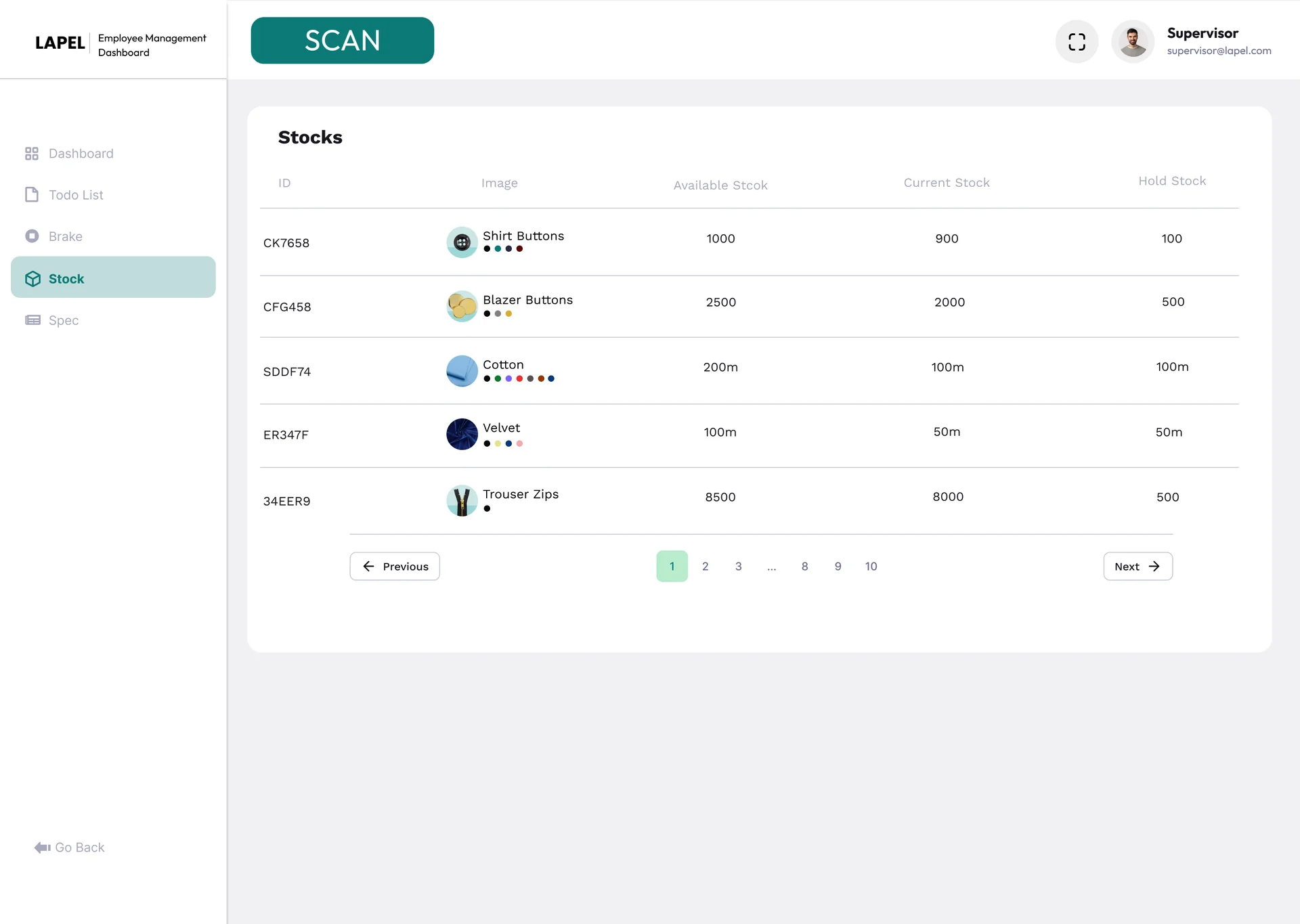
Factory Stock
Provides a dedicated area for accessing factory-related stock information as part of the wider inventory organization effort.
Learning to Design for Complex Business Workflows
LAPEL was an important learning experience because it was my first project involving a full ERP system. Before this project, I had limited experience with enterprise software and manufacturing workflows.
Working on LAPEL helped me understand that enterprise UX is different from designing a simple website or consumer mobile application—an ERP interface needs to support many types of information, different user responsibilities, and interconnected business activities.
What I Learned
- • Understanding business operations before designing enterprise interfaces.
- • Organizing large amounts of information into meaningful sections.
- • Designing data-heavy tables and management screens.
- • Thinking about how individual workflows connect across departments.
- • Designing interfaces for employees with different operational roles.
- • Understanding the importance of consistency across a large system.
What I Would Improve Today
If I were approaching LAPEL today, I would introduce a more structured discovery and design process:
- • Document the complete end-to-end business workflow upfront.
- • Map distinct user roles and access permissions.
- • Create low-fidelity wireframes before high-fidelity UI.
- • Validate key workflows with factory floor staff and managers.
- • Establish a reusable Figma design system earlier.
A Structured Interface for a Complex Manufacturing Business
The project resulted in a high-fidelity ERP interface design covering key areas of the garment manufacturing operation—exploring how order management, product information, factory operations, task management, and stock-related activities could be organized within a centralized system.
Deliverable Summary
Translated a complex men's wedding suit manufacturing environment and detailed client requirements into a cohesive multi-module desktop ERP interface in Figma.
*Transparency Note: No verified post-launch performance metrics or measured operational improvements are available for this case study, so the outcome is presented honestly as a UI/UX design deliverable rather than a claim of quantified business impact.
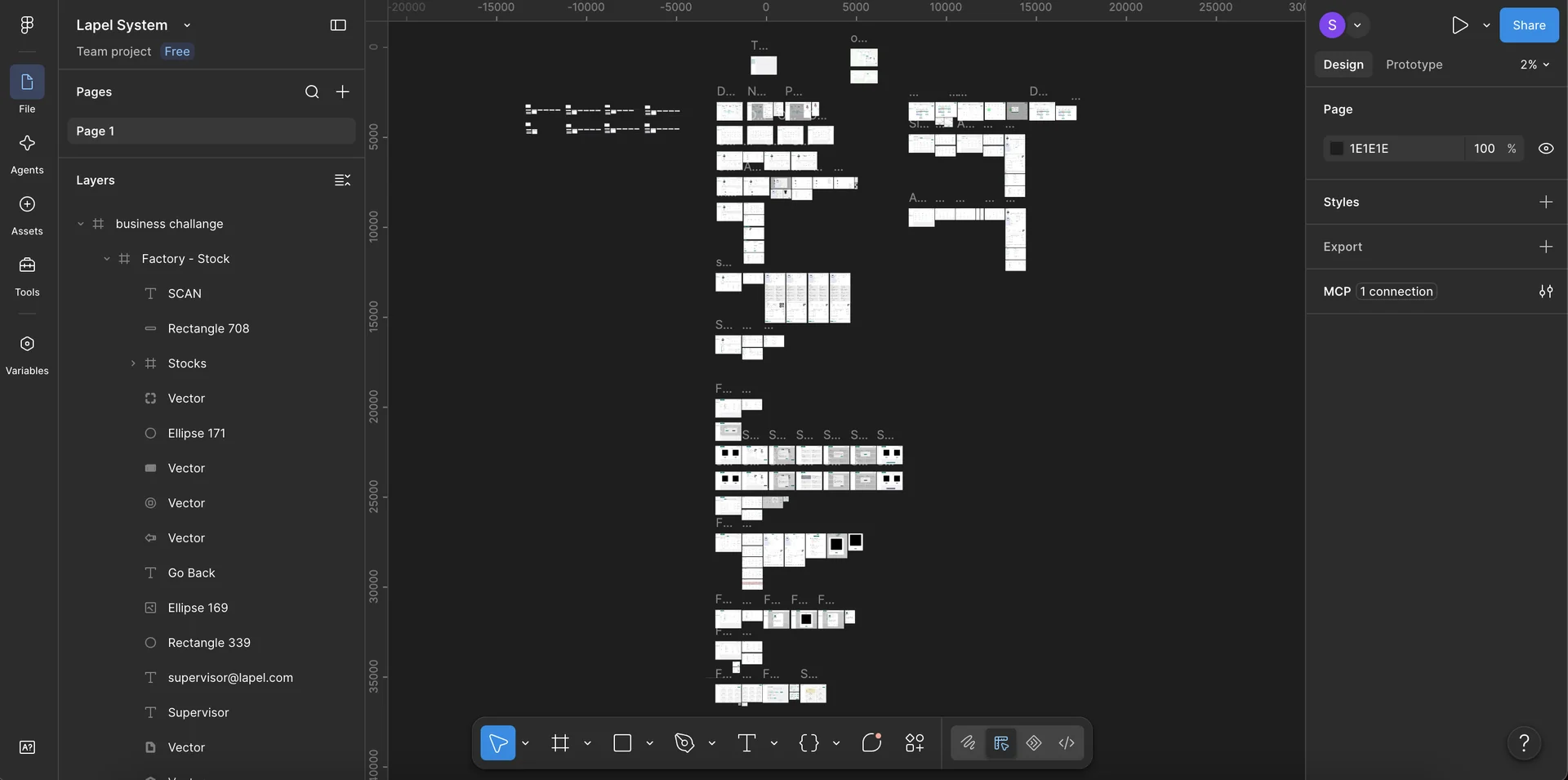
Explore the Original LAPEL System Figma File
Zoom in, pan across desktop frames, and inspect the actual ERP tables and factory scanning flows directly in Figma.
LAPEL — Garment Manufacturing ERP System
Industry: Men’s Wedding Suit Manufacturing · Role: UI/UX Designer · Tool: Figma